Dataset Creation Agent for Faster Surrogate Model Training
Building a surrogate model starts with a clean, structured dataset — but historical simulation data rarely comes that way. Different solvers, file formats, naming conventions, and analysis types make it difficult to know what you have, let alone organize it for training. The Dataset Creation Agent, now available in Rescale AI Physics, does this work for you. Point it at your completed Rescale jobs, describe what you want to predict, and the agent inspects, proposes, downloads, converts, and validates your simulation outputs into dataset-ready cases — with your review at every step.
Release Highlights
What is it?
The Dataset Creation Agent is an AI-powered assistant inside the Add Cases workflow in Rescale AI Physics Training. It reads the output files from your completed simulation jobs, identifies the data structure, proposes the files and metadata needed for your surrogate model, and prepares validated cases — all through a guided four-step process.
Why did we build it?
Engineers working with historical simulation data face a recurring problem: results from different solvers, projects, and teams are stored in inconsistent formats with varying inputs, outputs, and organization. Manually cataloging what each job produced, deciding which files matter, and converting them into a consistent dataset structure is slow and error-prone. The Dataset Creation Agent automates this process while keeping engineers in control of every decision.
How is it used?
From any model in Rescale AI Physics Training, click Add cases and select the Data agent tab. Describe what your surrogate model should predict, provide one or more Job IDs, and the agent handles the rest:
- It inspects your simulation results and proposes the specific files it needs — explaining why each one matters and whether a solver license is required to read it.
- After you approve the file selection, it downloads and converts the data, with progress visible in a live Activity Log.
- You review the prepared cases in an integrated Jupyter notebook with 3D visualization, then add the passing cases to your dataset.
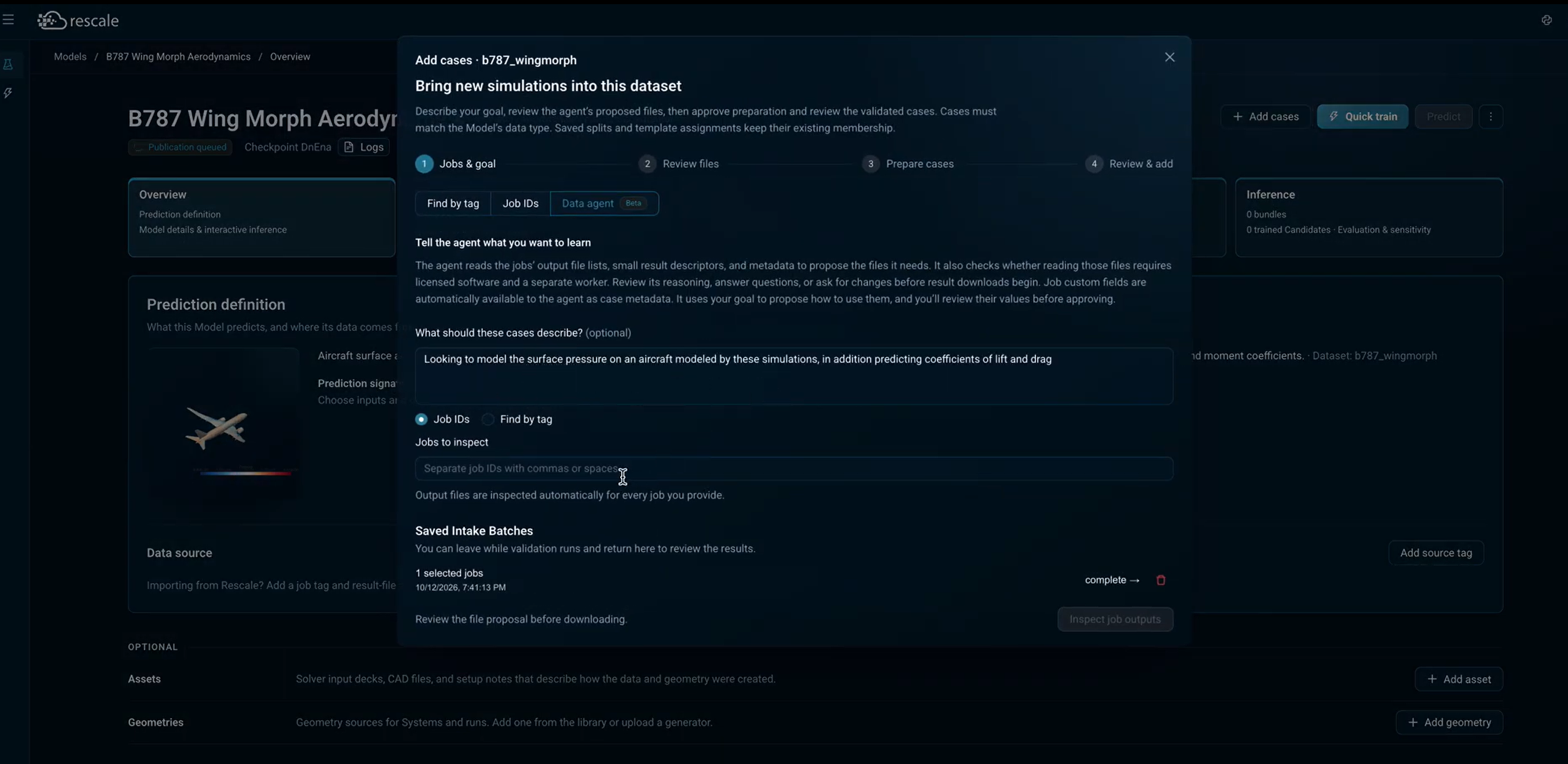
Step one: tell the agent what you want to learn and which completed jobs to inspect. It proposes the files from there.
By whom?
Engineers and researchers building surrogate models from simulation data — particularly those working with results from multiple solvers, projects, or team members where data formats and organization vary.
Getting Started
-
Open or create a Model in Rescale AI Physics Training.
-
Click Add cases and select the Data agent tab.
-
Describe what you want your surrogate model to learn (e.g., "predict surface pressure and lift/drag coefficients").
-
Enter the Job IDs of completed simulations to inspect, or use Find by tag to locate them.
-
Click Inspect job outputs and follow the four-step guided workflow: review proposed files, approve the selection, and add validated cases to your dataset.
The agent saves your progress automatically.
For more on building surrogate models, see the AI Physics documentation.