Engineering Context: Agents That Answer From Your Standards, Your Data, and Your Prior Runs
An agent is only useful if it knows how your team works. A general model answers from public defaults rather than from your acceptance criteria, your program’s standards, or what your own simulations have already shown. Rescale now assembles that engineering context and applies it where the work happens, scoped to a project and retained only with your approval.
Agentic Projects and Data Connectors shipped earlier this year. What is new is the layer between them: the material you connect is now read, turned into statements you approve, and applied to later work without being restated.
Release Highlights
What is it?
Engineering context is assembled from four sources, and each answers a different question.
A learning is a single approved statement, and Edison proposes learnings as it reads what you have connected. You accept, edit, or reject each one. Nothing is retained without your approval, and what you write yourself goes in directly.
Why does it matter?
Programs already write down how work should be done. The acceptance criteria sit in a standards document, the lesson from the last failure sits with whoever fixed it, and nothing connects either to the runs. So engineers restate the same constraints every session, or skip them.
With context in place, Edison reads the criteria out of the document you connected and proposes them. Once you approve them, it can check later runs in that project against them. The criteria come from your own document and the comparison runs against your own simulation record, which is the part a general model cannot reach.
Because context is held as individual approved entries, each one carries its source, and a revised standard supersedes the earlier version rather than sitting beside it. A shared project passes its context to everyone who uses it, so an engineer joining the program inherits the standard.
How is it used?
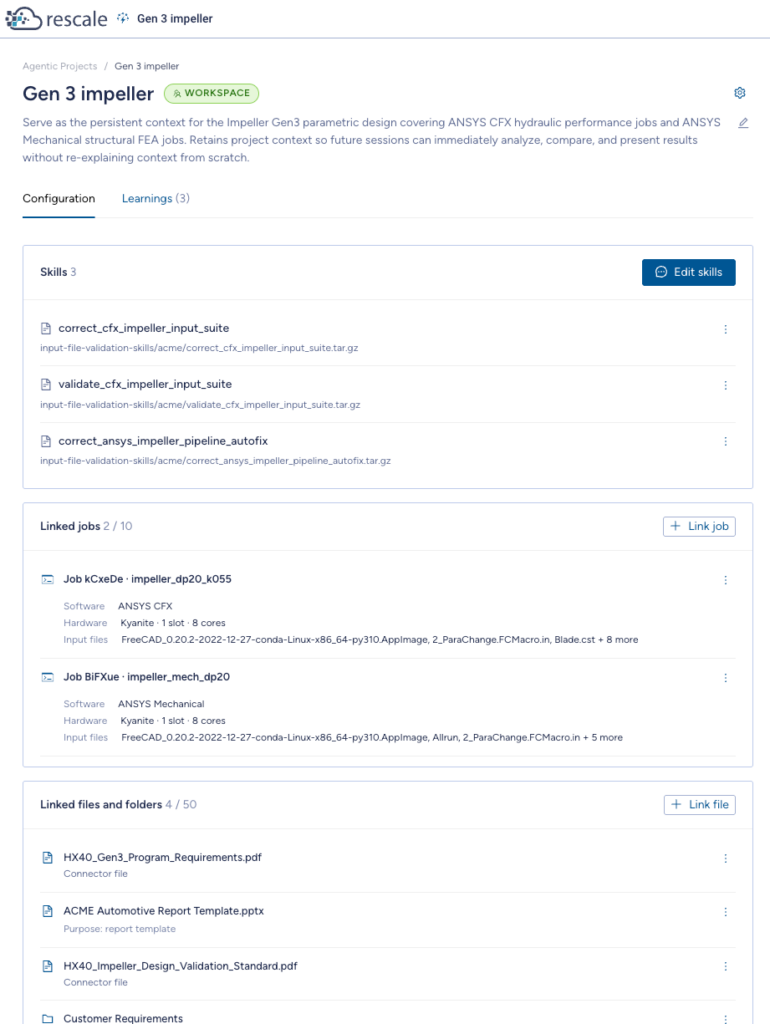
The project owner decides what the project knows. Anyone with access gets the benefit, in Edison and in any agent invoked during that session, including inside a Workflow through the Edison Node.
Connect documents today from SharePoint, S3, and Azure Blob. We are extending the same pattern to the systems where requirements and test data already live, including requirement management tools such as Jama and analytical stores such as Azure Data Explorer.
Edison captures acceptance criteria read from a connected standards document. Once approved, it applies that to all work in the project.
Getting Started
-
Open Agentic Projects and create a project, or open an existing one.
-
Give the project its context. Connect a folder or document from a connected source, alongside the jobs and files you want treated as reference.
-
Ask Edison to review what you connected. It will propose learnings from what it finds.
-
Accept, edit, or reject each proposal. Add your own at any time.
-
Approved context applies from your next session in that project.
For more on setting up a project, see the Agentic Projects documentation. For connecting a data source, see the Data Connectors documentation.