New Commitment Burst Policy: Economy
Commitment Plans now include a fourth burst policy: Economy. The Economy policy sends overflowing jobs immediately to On-Demand Economy (ODE) rather than On-Demand Priority (ODP).
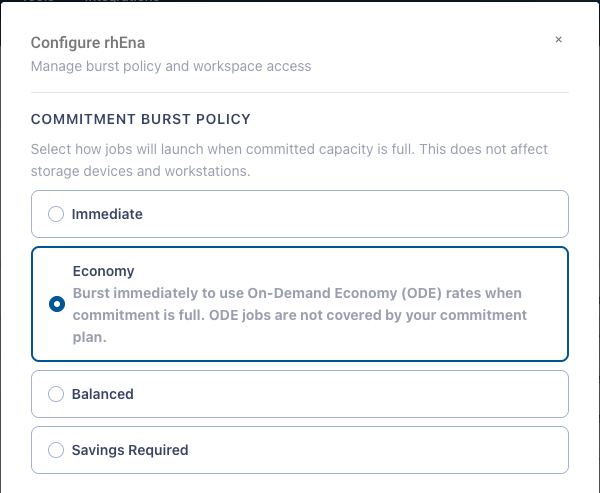
Economy Burst Policy in the Commitment Plan management modal
Burst policies control what happens to jobs when your committed capacity is fully used in a given hour. Commitment Plans support the following policies.
What to know before choosing Economy
ODE workloads are not covered by your commitment plan. Commitment benefits apply to On-Demand Priority usage only, so Economy overflow is billed at full ODE rates.
ODE uses interruptible capacity, so Jobs can be pre-empted by the cloud provider. Restart behavior for pre-empted jobs is configured per workspace, so talk to your Rescale representative about your settings. ODE jobs restarted as ODP may be eligible for coverage under your commitment plan.
Best for
Teams whose overflow work is cost-sensitive and can tolerate interruption. If you currently use a Coretype Set to move work from a committed coretype to ODE, Economy replaces that pattern with a single policy setting.
Getting started
Admins set the burst policy per commitment under Financials → Commitment Plans. Burst policy governs job launches; storage devices and workstations always launch immediately.
Learn more about Commitment Plans from our Commitment Plans documentation.